De-Googling your Android-Phone: GrapheneOS and the Art of Trading Convenience for Control
 Mynymbox
- General
- July 29, 2026
So you've decided you want your Android phone to stop reporting back to Google like it's filing a detailed daily briefing about your life. Smart move. But here's the plot twist: actually removing Google from Android is kind of like removing sugar from candy. You get the product but you lose some of what made it fun in the first place. Let's talk about what that actually looks like when you go the GrapheneOS route.
Why People even consider it
Before we dive into the pain points, let's acknowledge why de-Googling matters to privacy-conscious people. Android itself is open-source and fine but the Google Play Services running underneath most Android phones? That's the real surveillance machine. It's tracking your location, collecting telemetry, managing credentials, and serving ads based on your browsing habits. For people who actually care about privacy, this is basically accepting a permanent houseguest with access to your entire life.
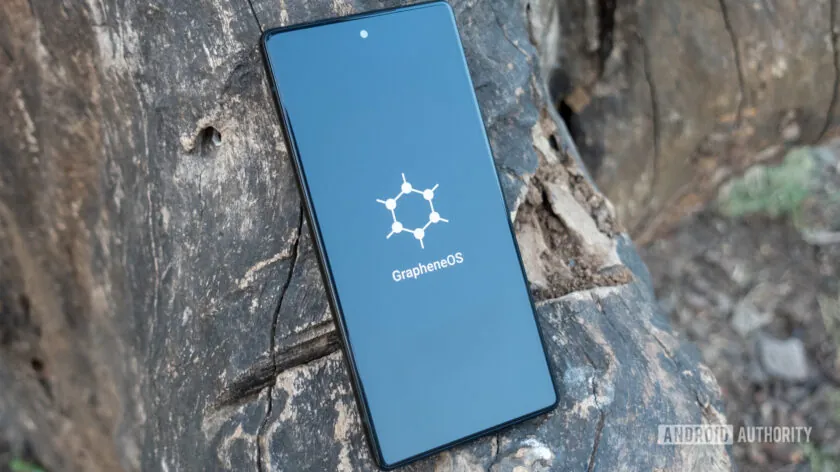
GrapheneOS is a hardened fork of Android that strips out Google's bloatware and adds actual security improvements on top. Think of it as taking Android, removing all the creepy stuff, and then adding better locks on the doors. That's attractive.
The good stuff about GrapheneOS
Security hardening is where GrapheneOS genuinely shines. It includes features like enhanced exploit mitigations, stricter SELinux policies, and better memory safety measures. If someone actually wants to crack your phone, they'll have a harder time. The exploit surface is smaller, the sandbox is tighter, and the attack vectors are fewer. For paranoid security enthusiasts, this is the real draw. Not just privacy from Google.
The user experience, surprisingly, isn't terrible. GrapheneOS includes a permission system that's actually intelligent. You can set apps to access your microphone only when they're running, or deny your location to everything except the maps app you actually want to use. These controls exist on standard Android too but GrapheneOS makes them more granular and front-and-center.
Also, no bloatware. Your phone isn't pre-installed with garbage apps you'll never use, and you're not getting mysterious system updates at 3 AM pushing new Google services. It's weirdly liberating.
The Sandboxed Play Services Compromise
Now here's where it gets interesting. Most people using GrapheneOS don't go completely cold turkey on Google but instead, they use sandboxed Google Play Services, which is basically Google Services running in a jailed environment with severely limited permissions.
This is the compromise that makes GrapheneOS actually livable. You get to use apps that require Google services (which is most apps) and those services are boxed in. Google can't phone home about your location if you haven't explicitly let the app have location access. It's like inviting someone into your house but making them stand in a specific corner and not letting them open your filing cabinets.
The catch? This still means Google knows you're using Google Play Services. You're not really escaping Google; you're just limiting what it can see. For people who want zero Google contact whatsoever, this is a compromise they might resent. But for people who are realistic about the fact that many apps require Play Services to function, it's a smart middle ground.
The Usability Tradeoffs
Here's where the fun stops and actual decisions come into play:
App compatibility becomes a thing you have to manage. Some apps won't work without Play Services, and some of those that do work will constantly nag you about missing verification or services. Banking apps are a common culprit because they use Google's security measures, so without proper Play Services integration, they might refuse to run or throw warnings. You'll spend time researching which apps are compatible and which ones need workarounds.
Notifications get weird. Standard Android uses Google's Cloud Messaging for push notifications. GrapheneOS can use microG (an open-source alternative) or rely on sandboxed Play Services. However in both cases, notifications can be flaky or delayed. That message from your friend might arrive in five minutes or twenty minutes, depending on how the system is configured. If you're the kind of person who relies on real-time alerts, this is genuinely annoying.
Location services are compromised. Without Google's location database (which uses cell towers, WiFi networks, and more), location can be slower to acquire and less accurate. Your GPS will work fine but backgrounded location requests take longer. For something like navigation, this is barely noticeable. For location-based games or services that rely on quick position fixes, it's a pain.
Photo and Maps features are limited. Google Photos and Google Maps have integrations baked deep into Android. On GrapheneOS, you're either using sandboxed versions with limited functionality or switching to alternatives like Nextcloud or OsmAnd. Those alternatives work.
Custom ROM flashing is a hobby now. Installing GrapheneOS isn't hard anymore. It is "harder" than just buying a phone and turning it on because you will need some basic understanding of how systems work. You will need a computer, some tech comfort and willingness to void your warranty on some devices. Updates are straightforward once you're installed but the initial setup is not for average users.
Hardware limitations matter as well because GrapheneOS only works on specific devices (primarily recent Pixels, with some older devices supported). You can't just install it on any Android phone. If you want to use it with a device you already own, you might be out of luck.
Is it worth it?
The honest answer: it depends on your threat model. If you're just generally paranoid about Google and want better privacy, GrapheneOS with sandboxed Play Services is probably 80% of the benefit for 20% of the effort. You're removing most of Google's tracking, improving security, and still maintaining reasonable usability.
If you're trying to achieve complete de-Googling and zero Google contact? You're looking at accepting significantly worse usability. Some apps won't work. Notifications will be flaky. Location will be slower. And you'll spend time problem-solving instead of just using your phone.
The real takeaway: de-Googling isn't binary. It's a spectrum. GrapheneOS lets you move significantly down that spectrum without completely breaking your phone. Whether that's worth the friction depends on how much you value privacy versus convenience and honestly, that's a personal call only you can make!